
The Azure portal offers compliance views for Azure Policies, but they are limited: no advanced cross-subscription filtering, no easy export, no complex criteria combinations. Azure Resource Graph solves this with KQL, the same language as Log Analytics, applied to your Azure resource metadata.
What is Azure Resource Graph?
Azure Resource Graph is a service that indexes all your Azure resources and their state. It lets you query your entire tenant in seconds, across all subscriptions, using KQL (Kusto Query Language).
Two tables are particularly useful for governance:
resources: all your Azure resources with their propertiespolicyresources: the compliance state of policies and assignments
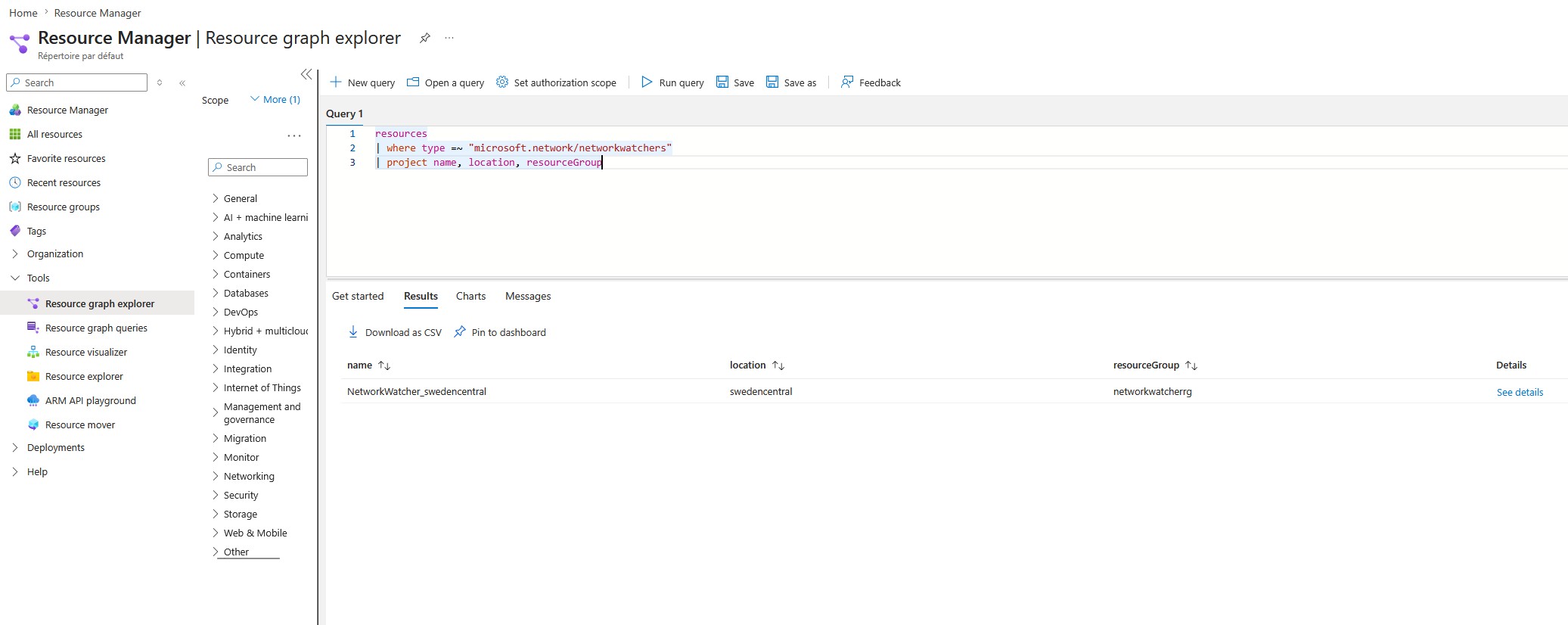
Accessing Resource Graph
Azure portal: search for “Resource Graph Explorer” in the search bar.
CLI:
az graph query -q "resources | count"
PowerShell:
Search-AzGraph -Query "resources | count"
Basic queries
Count resources by type
resources
| summarize count() by type
| order by count_ desc
List resources without an “environment” tag
resources
| where isempty(tostring(tags['environment']))
| project name, type, resourceGroup, subscriptionId
Resources in a specific region
resources
| where location == "francecentral"
| project name, type, resourceGroup
| order by type asc
Policy compliance queries
Overall compliance state per assignment
policyresources
| where type == "microsoft.policyinsights/policystates"
| where properties.policyAssignmentName != ""
| summarize
    total = count(),
    compliant = countif(properties.complianceState == "Compliant"),
    nonCompliant = countif(properties.complianceState == "NonCompliant")
    by tostring(properties.policyAssignmentName)
| extend complianceRate = round(100.0 * compliant / total, 1)
| order by nonCompliant desc
Non-compliant resources for a specific assignment
policyresources
| where type == "microsoft.policyinsights/policystates"
| where properties.complianceState == "NonCompliant"
| where properties.policyAssignmentName == "initiative-storage-bu1-prd"
| project
    resourceId = properties.resourceId,
    resourceType = properties.resourceType,
    policyDefinitionName = properties.policyDefinitionName,
    timestamp = properties.timestamp
| order by timestamp desc
Find Storage Accounts with public access enabled
resources
| where type == "microsoft.storage/storageaccounts"
| where properties.publicNetworkAccess == "Enabled"
    or properties.allowBlobPublicAccess == true
| project name, resourceGroup, subscriptionId, location,
    publicNetworkAccess = properties.publicNetworkAccess,
    allowBlobPublicAccess = properties.allowBlobPublicAccess
Resources without a Private Endpoint
resources
| where type == "microsoft.keyvault/vaults"
| where array_length(properties.privateEndpointConnections) == 0
    or isnull(properties.privateEndpointConnections)
| project name, resourceGroup, subscriptionId
Advanced multi-subscription queries
One of the biggest advantages of Resource Graph: queries automatically span all subscriptions you have access to.
AKS inventory by Kubernetes version
resources
| where type == "microsoft.containerservice/managedclusters"
| project name, resourceGroup, subscriptionId, location,
    kubernetesVersion = properties.kubernetesVersion,
    nodeResourceGroup = properties.nodeResourceGroup
| order by kubernetesVersion asc
AKS clusters running outdated versions
resources
| where type == "microsoft.containerservice/managedclusters"
| extend version = split(properties.kubernetesVersion, ".")
| extend minorVersion = toint(version[1])
| where minorVersion < 29   // Adjust based on currently supported versions
| project name, resourceGroup, subscriptionId, kubernetesVersion = properties.kubernetesVersion
Exporting results
From the portal’s Resource Graph Explorer, results can be downloaded as CSV. From the CLI:
az graph query \
  -q "resources | where type == 'microsoft.storage/storageaccounts' | project name, resourceGroup" \
  --output table > storage-inventory.txt
Integration with Azure Monitor Workbooks
Resource Graph queries can be used directly in Azure Monitor Workbooks to build automated compliance dashboards without manually exporting data. This is the topic of an upcoming article on Policy Workbooks.
Limitations
- Resource Graph returns no more than 1000 results per query without pagination.
- Data has a synchronization delay (a few minutes to a few hours for newly created resources).
- Some deep resource properties are not indexed.
🚨 Resource Graph only indexes the management plane (control plane): it does not return Entra ID data or the data plane content of resources. For example, it cannot retrieve the APIs exposed by an APIM instance, the secrets in a Key Vault, or the messages in a Service Bus.