
By default, when an Azure Policy blocks an operation, the returned message is generic and hard to act on.
The problem
To illustrate this, I created a simple policy that prevents the creation of a public IP address.
{
  "policyRule": {
    "if": {
      "field": "type",
      "equals": "Microsoft.Network/publicIPAddresses"
    },
    "then": {
      "effect": "Deny"
    }
  },
  "versions": ["1.0.0"]
}
The default error looks like this:
Resource 'test-pip' was disallowed by policy. (Code: RequestDisallowedByPolicy, Policy(s): deny-public-ip-assignment
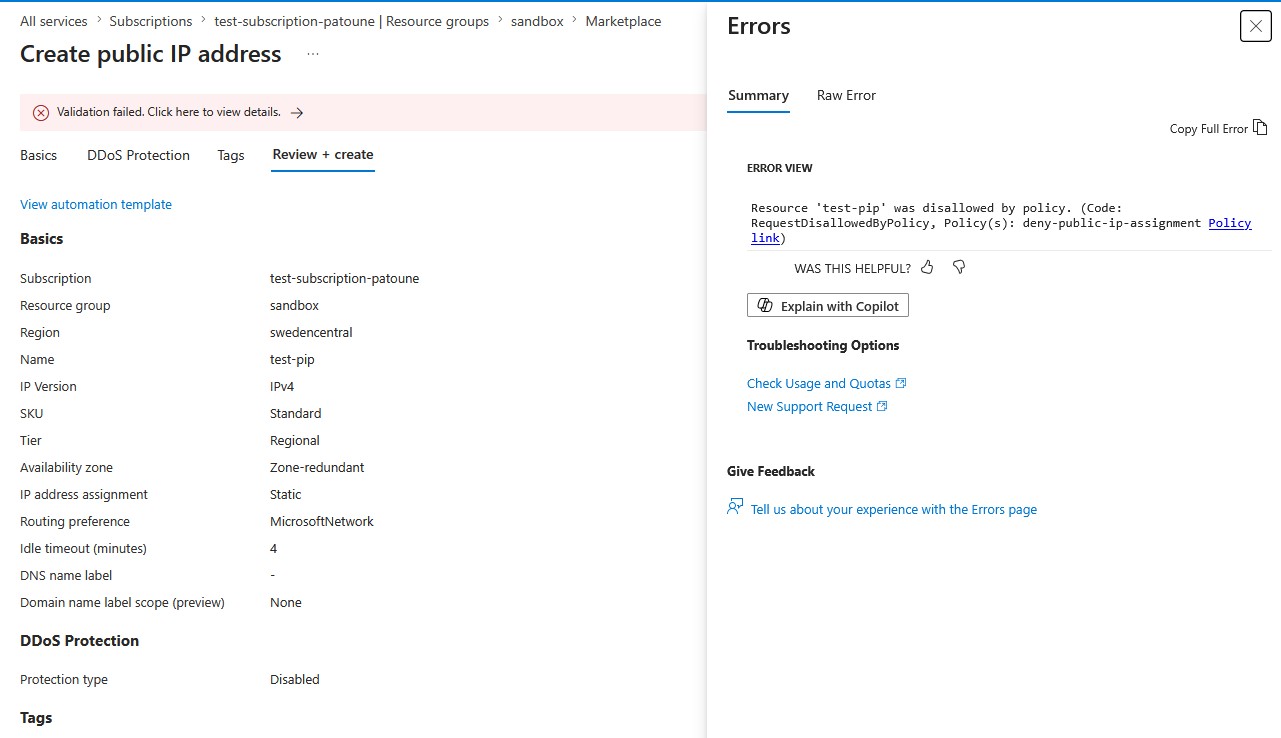
No context, no alternative, no indication of what to do next. This is frustrating for the user and generates unnecessary tickets for the platform team.
Adding a non-compliance message
When assigning the policy, I added a message to explain why it blocks the creation of a public IP address.
This is done simply by adding a message during the policy assignment:
$msg = @(@{Message ="The publicIP are disallowed for this subscription. Please contact your platform team."})

New-AzPolicyAssignment -Name "deny-public-ip-assignment" -PolicyDefinition $definition -Scope "/subscriptions/$sub" -NonComplianceMessage $msg
Where the message appears
When attempting to create a Public IP again, you can see the message has changed:
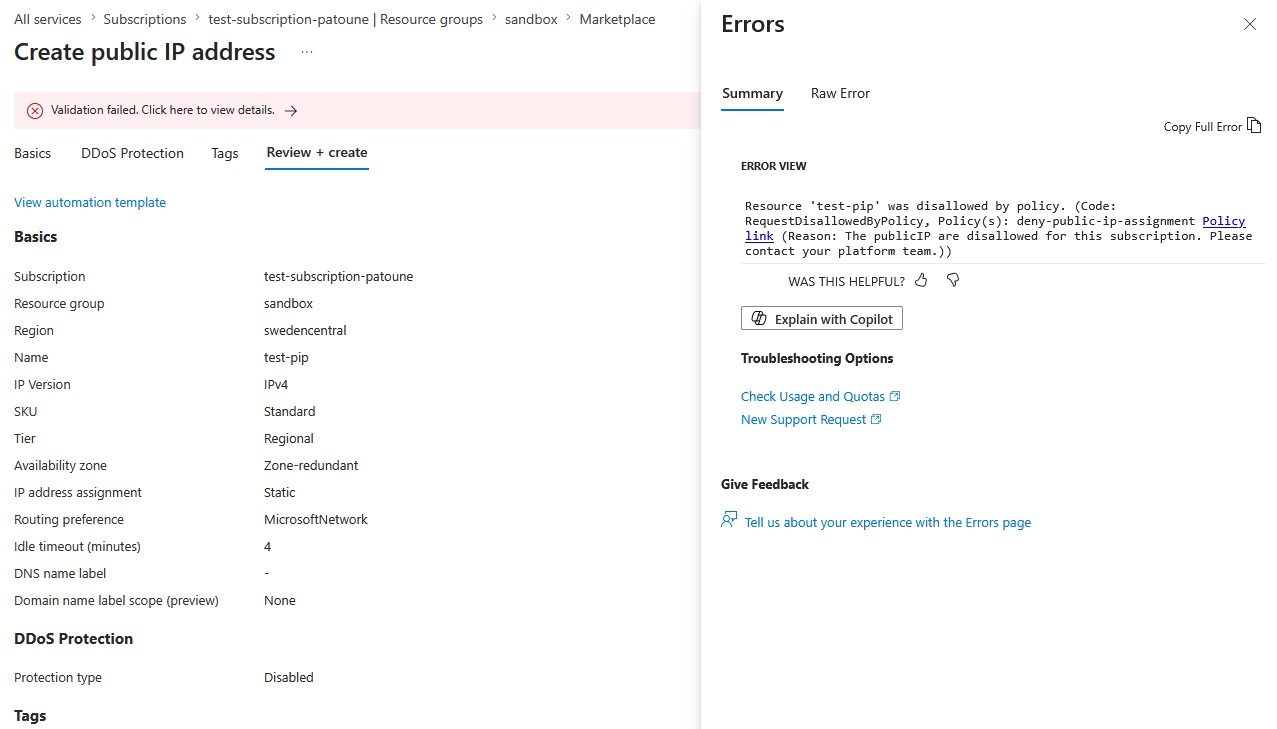
It is now much clearer and gives a functional meaning to the restriction.
Best practices
Answer three questions: why it is blocked, what the alternative is, who to contact.
Include a link or a channel. A link to internal documentation or a Slack channel reduces resolution time.
Keep it short. ARM truncates messages that are too long. Aim for 200-300 characters maximum.
Adapt the level. The message is read by a developer facing a deployment error, not by the platform team.
Important limitation
⚠️ NonComplianceMessage only works with the Deny effect. For Audit, AuditIfNotExists or DeployIfNotExists, the field is ignored.
A single field that can turn an opaque blocking experience into actionable feedback. Enable it on all your Deny policies.